


Fetch: Receipts For Gift Cards
4.7294.26K Reviews
App Specs
- Version
- 4.58.0
- Updated On
- License
- Free
- Downloads
- 10,000,000+
- Developer
- Fetch Rewards
- Categories
- Shopping
- Platform
- Android, iOS
Screenshots
 Analysis by AppCompare
When I use Fetch: America’s Rewards App, the most important habit is remembering to submit receipts while they are still easy to find. The basic idea is simple, but the payoff depends on fitting the app into a routine rather than expecting it to make every shopping trip cheaper. I find it most appealing for people who already shop in person and are comfortable taking a moment to keep track of receipts.
Where people tend to get stuck
The first point of friction is not understanding what to buy; it is getting into the habit of recording what you have already bought. A receipt left in a bag, tossed into a car, or mixed in with other papers can be easy to forget. I’d make the submission part of unpacking groceries or clearing out a wallet, instead of saving a growing pile for later.
Another possible snag is expecting every receipt to produce the same result. Fetch is built around everyday shopping receipts, while special offers can add a reason to look more closely at particular brands or products. That makes it useful to check the app before shopping if you enjoy planning around offers, but I would not buy something you do not need just to chase extra points. A bonus is only worthwhile when the purchase already makes sense for you.
There is also a difference between earning rewards and lowering the price at checkout. Fetch is better thought of as a gradual return on purchases you were already making than as a replacement for comparing prices, using a store loyalty scheme, or choosing a cheaper product. If you need an immediate discount on a specific item, a coupon or retailer promotion may suit that goal better.
Small setup checks that make the routine easier
Fetch is a free shopping app from Fetch Rewards, and it is rated for Everyone. It was released on December 7, 2016; version 4.24.1 supports Android 8.0 and later. The app has a 4.7 average from around 1.5 million ratings, with more than 10 million installs. Those figures suggest a well-established service, though they do not guarantee that every person will enjoy its reward style or find the same value in it.
When setting up, I’d use an email address I can access reliably and make sure I can sign back in if I change devices. The original setup description also mentions connecting with Facebook, but I’d choose the sign-in route I’m most comfortable maintaining. The practical aim is simple: avoid turning a casual rewards habit into a login problem later.
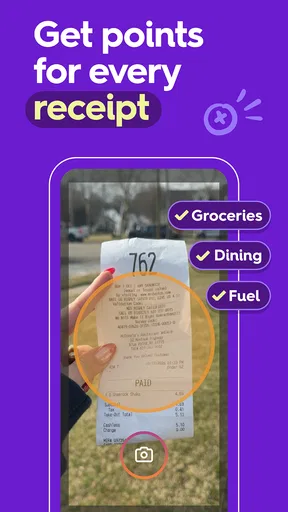
Before relying on a receipt, I’d check that the whole thing is in frame and that the printed details are readable. This is a general good practice for receipt-scanning apps: glare, folds, faint ink, and cropped edges can make a photo harder to process. If a scan does not go through as expected, retake it in brighter, even light and make sure the receipt is flat before assuming the app itself is at fault.
Worth Reading Before You Choose

EA SPORTS FC Mobile 26 Is a Bigger Football Game, but It Takes Time

Flipboard Shows What News Apps Must Do Beyond the Feed

Switching to Android Auto Means Rethinking Your Driving Routine

Google Calendar Makes a Crowded Week Easier to Manage

Ludo King Makes the Most of the Minutes Between Plans

Baby Panda World Brings Quick Play to Modern Phones, but Its Game Library Feels Busy
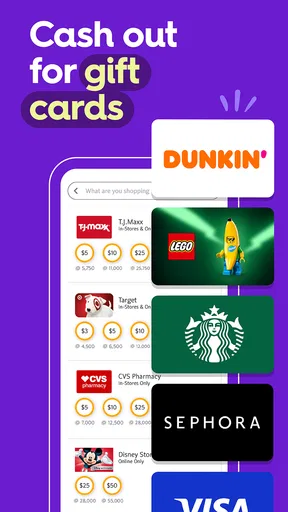
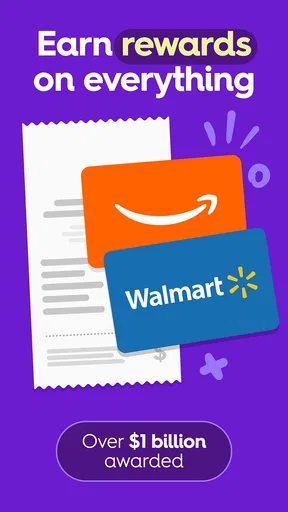
I also recommend checking reward options before making rewards the goal. A points balance is easier to value when you already know what you might redeem it for. Fetch offers options such as gift cards to retailers and restaurants, as well as Visa cards, so it helps to consider whether those choices fit your spending. If none appeal to you, collecting points just because the number rises may not feel worthwhile.
Getting Started with Fetch
First off, downloading Fetch: America’s Rewards App is a breeze. It's available on both Android and iOS, so no worries about compatibility. Once you've got it installed, the sign-up process is straightforward. Just pop in your email or connect with your Facebook account. Easy peasy!
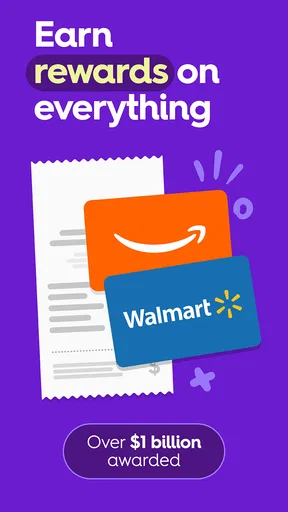
Now, here's where the magic happens. Fetch lets you earn rewards on your everyday purchases by simply scanning your receipts. Yes, you heard that right! You don't have to go out of your way to buy specific items or shop at certain stores. Just snap a pic of your receipt and watch the points roll in.
The Earning Experience
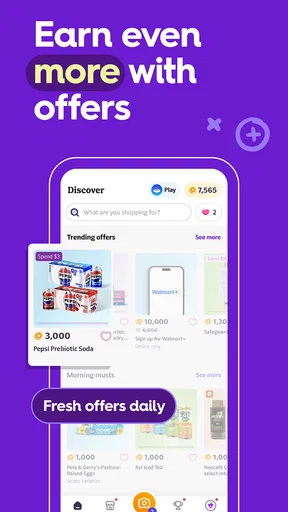
One of the things I love about Fetch is that it’s not picky. You can earn points from receipts at your local grocery store, chain retailers, or even your favorite coffee shop. Plus, they often have special offers where you can snag bonus points on certain brands or products. It’s like a game, and who doesn’t love a good game?
The app interface is pretty user-friendly, too. You’ve got a dashboard that shows your points, and from there, you can browse through different reward options. The selection is pretty sweet—gift cards to popular stores, restaurants, and even Visa cards if you want the flexibility to spend your rewards anywhere.
A realistic way to fit it into a shopping day
Imagine finishing a regular grocery run, bringing the bags inside, and setting the receipt aside before you start putting food away. That is the moment I’d use to scan it: the receipt is still handy, and I can check the points screen afterward rather than trying to remember whether I submitted it days later. If I also bought something covered by a special offer, I’d take a moment to see whether the offer is reflected, instead of assuming every qualifying purchase will be obvious at a glance.
For a busy household, it may help to decide whose account will handle receipts before multiple people start scanning them. That small bit of coordination avoids confusion over where the points are accumulating. I’d also avoid treating another person’s purchase as an invitation to submit their receipt without their agreement; keeping the routine clear and consensual is a better way to prevent account mix-ups.
People who do a mix of grocery shopping, coffee stops, and visits to larger retailers may find the routine less restrictive than an app tied to just one store. On the other hand, someone who rarely shops in person or tends to discard receipts immediately may not earn enough consistently to care about the balance. The best use case is not “scan everything at any cost”; it is “make a quick scan part of purchases I already make.”
Beyond the Basics
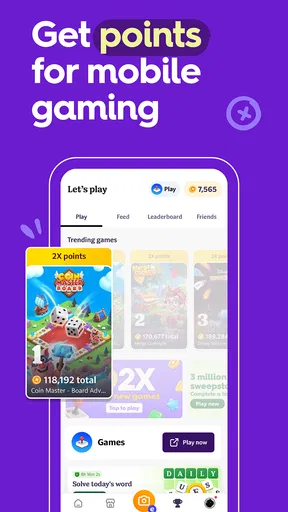
Fetch also has a social aspect, which I think is a neat touch. You can connect with friends and family, check out their points, and even compete in challenges. It adds a fun element to the app, making saving money a bit more engaging.
Another cool feature is that Fetch sometimes offers sweepstakes and contests, giving you the chance to win big. It feels like there’s always something new and exciting happening in the app, which keeps it fresh and interesting.
How it compares with other ways to save
Compared with coupon apps, Fetch asks for a different kind of attention. Couponing often means checking offers before a purchase and matching them to a shopping list; receipt rewards can feel more passive because the receipt comes from shopping you have already done. That convenience is the main appeal, but it also means I would not expect it to beat a carefully chosen coupon when the goal is the lowest possible price on one item.
Store loyalty programs can be more directly useful when you repeatedly shop at the same retailer, since their benefits are tied to that store’s own prices and offers. Fetch is a broader companion for people who shop in different places and like turning receipts into a shared points balance. I see the two approaches as compatible rather than competing: use a store’s own savings when they help, then treat Fetch as an extra step after the purchase.
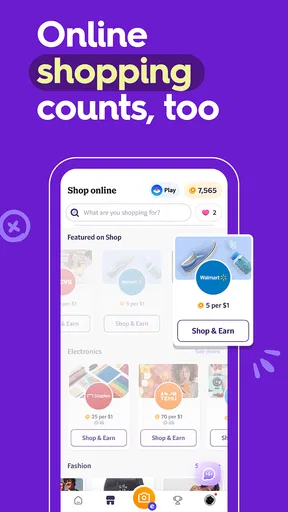
Cash-back services that require shopping through a particular online route may fit online-first shoppers better. Fetch’s appeal, as I see it, is that receipts from ordinary in-person spending can be part of the routine, alongside the app’s options for games and online orders. If you mostly want a direct reduction on your next bill, though, a cash discount or a retailer’s own rewards may feel more immediate than accumulating points.
Recovering when a scan or balance seems off
If a receipt is rejected or does not appear to earn what you expected, I would start with the basics: check that the receipt is readable, try a clearer photo, and confirm that you are signed in to the account you intended to use. It is also worth reviewing whether the purchase relates to a specific offer rather than assuming all receipts receive identical treatment. These checks can distinguish a photo or account mix-up from a genuine app issue.
If the app seems slow, I’d close and reopen it, check that the device has a working internet connection, and make sure the installed app is current before trying again. I would not repeatedly submit the same receipt while a previous attempt may still be processing; keeping the original receipt until the result is clear gives you something to refer back to if you need to troubleshoot.
When a reward choice does not suit you, that is not necessarily a technical problem. It may simply mean the available redemption options do not match how you spend. That is why I’d browse the choices early, not after building up a balance. The same principle applies to contests and social challenges: they can make the app more entertaining, but they are extras, not a reason to count on a particular outcome.
When the app may not be the cause—or the right tool
Some frustration comes from expectations rather than a malfunction. Fetch is not the same as a budgeting app, a price-comparison tool, or a guaranteed discount at the register. It can reward eligible activity, but it does not replace planning a shopping list or checking whether another store has a better price. If your main goal is to spend less immediately, compare the total cost first and treat points as a secondary benefit.
Likewise, a missing scan can have a mundane explanation: a blurry image, a receipt that is no longer available, a sign-in to a different account, or a delay while the app catches up. I’d work through those possibilities calmly before deciding the service has failed. If the basic checks do not help, use the app’s available support route rather than submitting the same purchase repeatedly or assuming that every offer will apply automatically.
I would skip Fetch if scanning receipts feels like an unwanted chore, if I do not want another account to manage, or if I am unlikely to use the reward options. It may also be a poor fit for someone who shops almost entirely online and wants one simple cash-back destination; a service focused on that exact workflow could be more convenient. The right choice depends on whether the app’s small repeated actions fit naturally into your habits.
Final Thoughts
So, what’s the verdict? If you’re looking for an easy way to earn rewards from your everyday spending, Fetch: America’s Rewards App is definitely worth checking out. It’s straightforward, fun, and offers a variety of rewards without the hassle of clipping coupons or hunting for deals.
All in all, Fetch makes the process of saving money feel like a walk in the park. With minimal effort, you can start earning rewards that actually feel rewarding. So why not give it a shot? It might just become your favorite new app!
My practical recommendation is to try it with purchases you already make, scan receipts promptly, and decide early whether the reward options are useful to you. That keeps the experience grounded: no extra shopping for points, no expectation of instant savings, and no need to turn receipt tracking into a second job. If that light routine sounds appealing, Fetch is an approachable option; if it sounds like one more task, you are better off choosing a savings method you will actually use.
Pros
- Easy to use and navigate interface.
- Quickly earns points from receipts.
- Wide range of reward options.
- Supports multiple retailers.
- Frequent bonus point opportunities.
Cons
- Limited international availability.
- Requires access to camera and photos.
- Occasional app performance issues.
- Some rewards have high point requirements.
- Limited integration with other apps.
FAQs for Fetch: Receipts For Gift Cards
What is Fetch: America’s Rewards App?
Fetch: America’s Rewards App is a unique platform that allows users to earn rewards by scanning receipts from any retailer. Users can accumulate points that can be redeemed for gift cards and other offerings, making everyday shopping more rewarding and fun.
How do I earn points with Fetch?
You earn points by scanning your shopping receipts through the app. Each receipt grants you points, with bonus points available for purchasing specific brands or items. Additionally, you can earn extra points through promotional offers, referrals, and participating in special challenges.
Is Fetch compatible with both Android and iOS devices?
Yes, Fetch is available for both Android and iOS devices. You can download the app from the Google Play Store or the Apple App Store. It is designed to be user-friendly on both platforms, ensuring a seamless experience no matter your device.
Are there any privacy concerns with using Fetch?
Fetch takes user privacy seriously. The app only requires access to your camera to scan receipts and does not store sensitive personal information. Fetch uses the data to analyze shopping trends and improve service, but always within strict privacy guidelines.
Can I use Fetch Rewards outside the United States?
Fetch Rewards is primarily designed for users in the United States, and its rewards and promotions are tailored to the American market. While you can use the app to scan receipts from some international retailers, the full rewards experience is optimized for U.S.-based stores and offers.


